Sharing a battle: links, moments and clips
Any battle can now be shown by a link with no signup, its best moments saved as a GIF or video right from the browser, and a soldier shown by their service file.
In a battle with simultaneous turns the most interesting things happen in fractions of a second: a sniper gets a shot off a moment before his own death, a grenade lands on two soldiers who have just met at the same door. Until now only the player saw such episodes, in the replay of their own battle. Now they can be shown to anyone.
A link to a battle
The “Share” button sits in the top bar after a battle and in a battle’s replay, which opens from “Operations” in the cabinet. On a phone it opens the system share sheet; on a computer it copies the link to the clipboard.
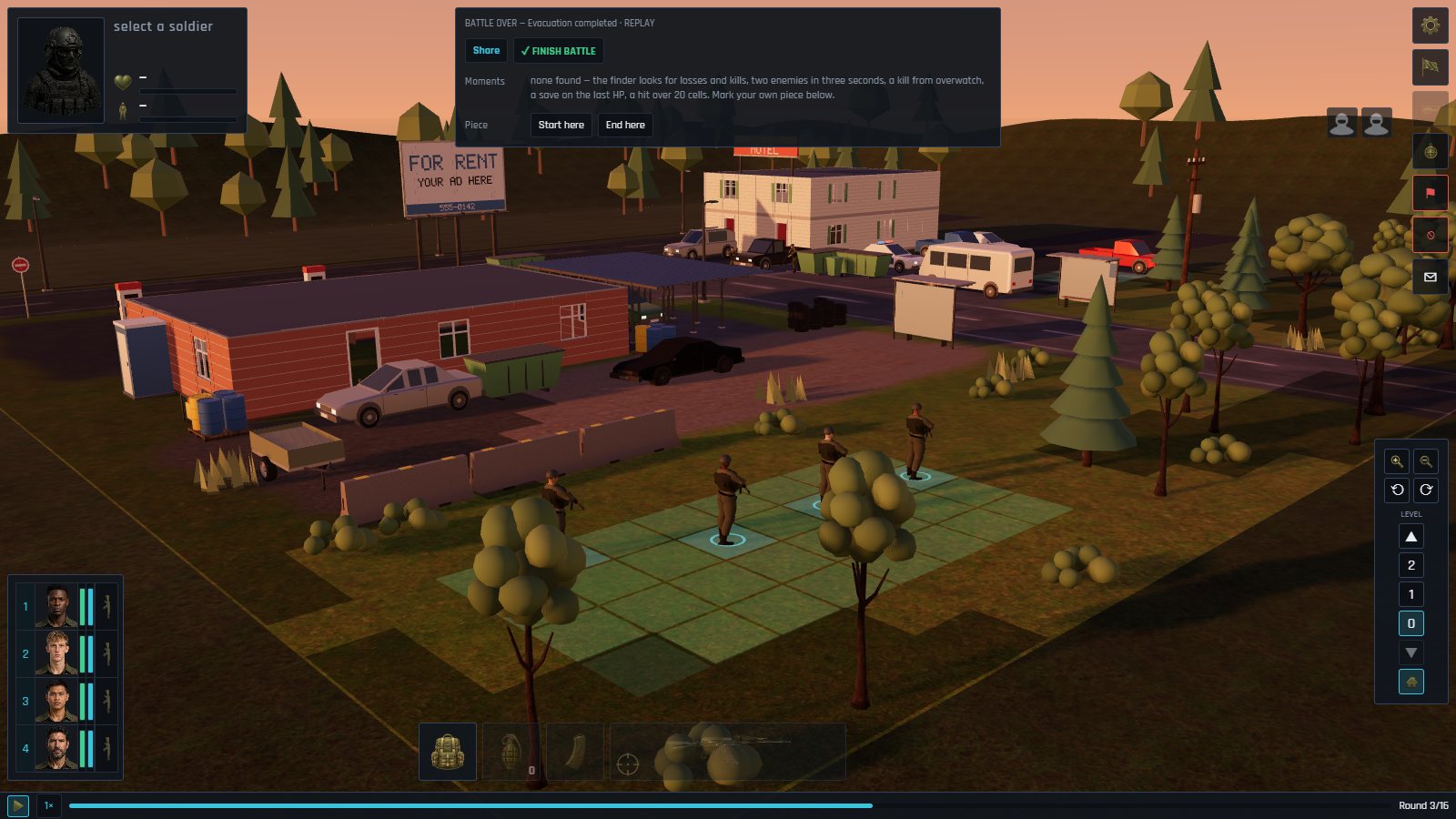
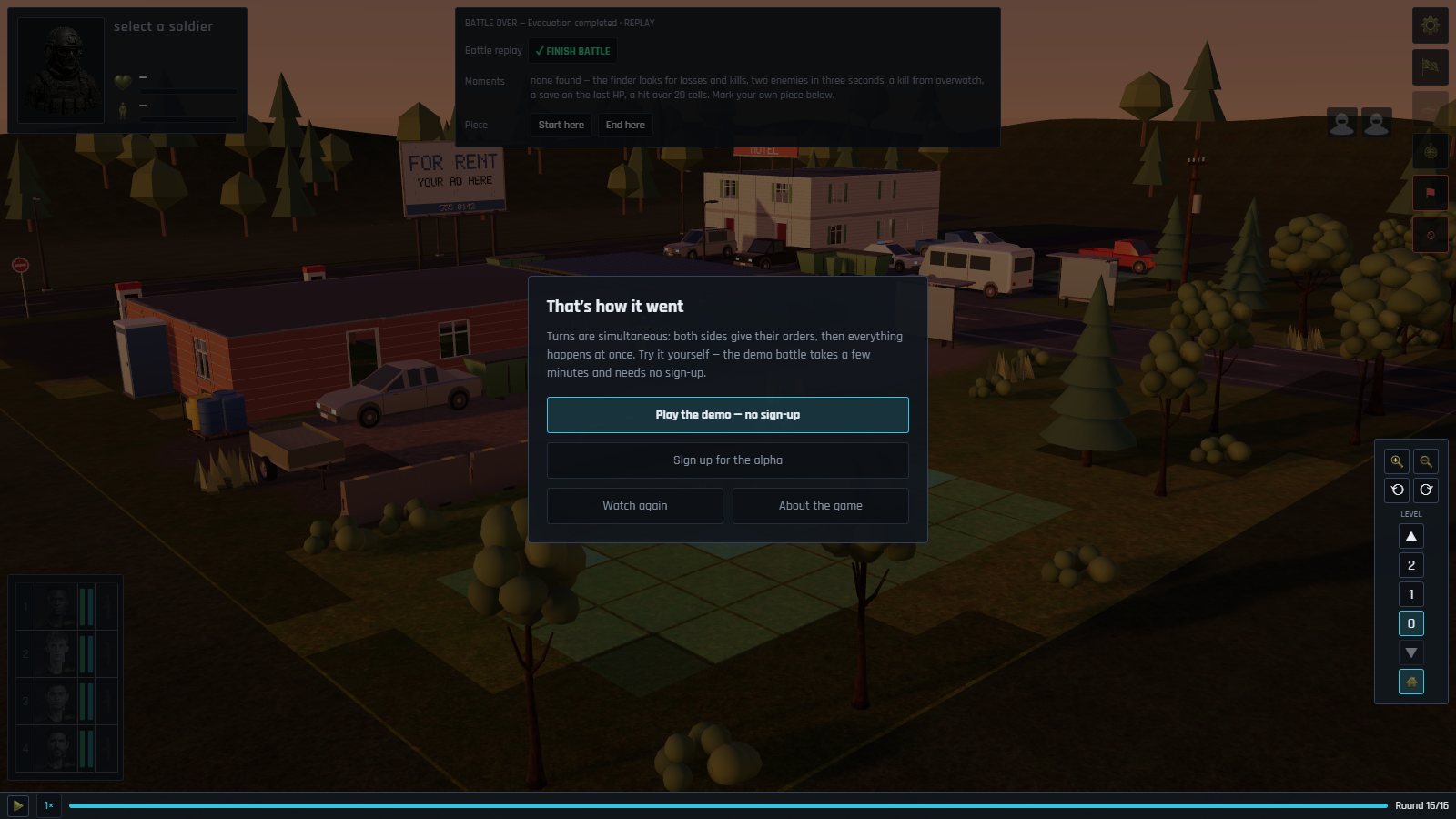
Anyone can open the link, with no account and nothing to install, and in Telegram, Reddit and X it has a preview. The viewer watches the replay with pause, speed and seeking. If you share a moment, it plays in a loop, with a “Whole battle” button next to it. At the end the viewer is offered the demo battle: it needs no signup and takes a few minutes.
Here is one such link, a whole battle: terminalleavegame.com/r/r3IfWCwNbSwVWR4KHnTQcA.
From the start I set one rule: the link shows exactly what you saw. The replay runs in your fog of war, and what you didn’t see, the viewer won’t see either. The opponent is shown without a name, because they never agreed to have their battle published. Internal account and battle ids, and your device data, are stripped from the record.
Moments
The game goes through the replay itself and looks for up to three highlights. A moment is:
- a kill seconds before your own soldier’s death, with the exact gap;
- two or more kills within a few seconds;
- a kill from ambush, on overwatch;
- your side winning with the last soldier standing;
- surviving on the last hit points;
- a kill from 20 cells or further.
The moments found are gathered in the “Moments” row of the replay panel. Pressed, a moment plays in a loop, and “Share this moment” gives a link that opens right on it.
If the game found nothing, or you want a different episode, a piece can be marked by hand. Seek the replay to the start of the episode and press “Start here”, then seek to the end and press “End here”. A piece can span several rounds and last up to 40 seconds. It is shared the same way as a moment.
A clip: GIF or video
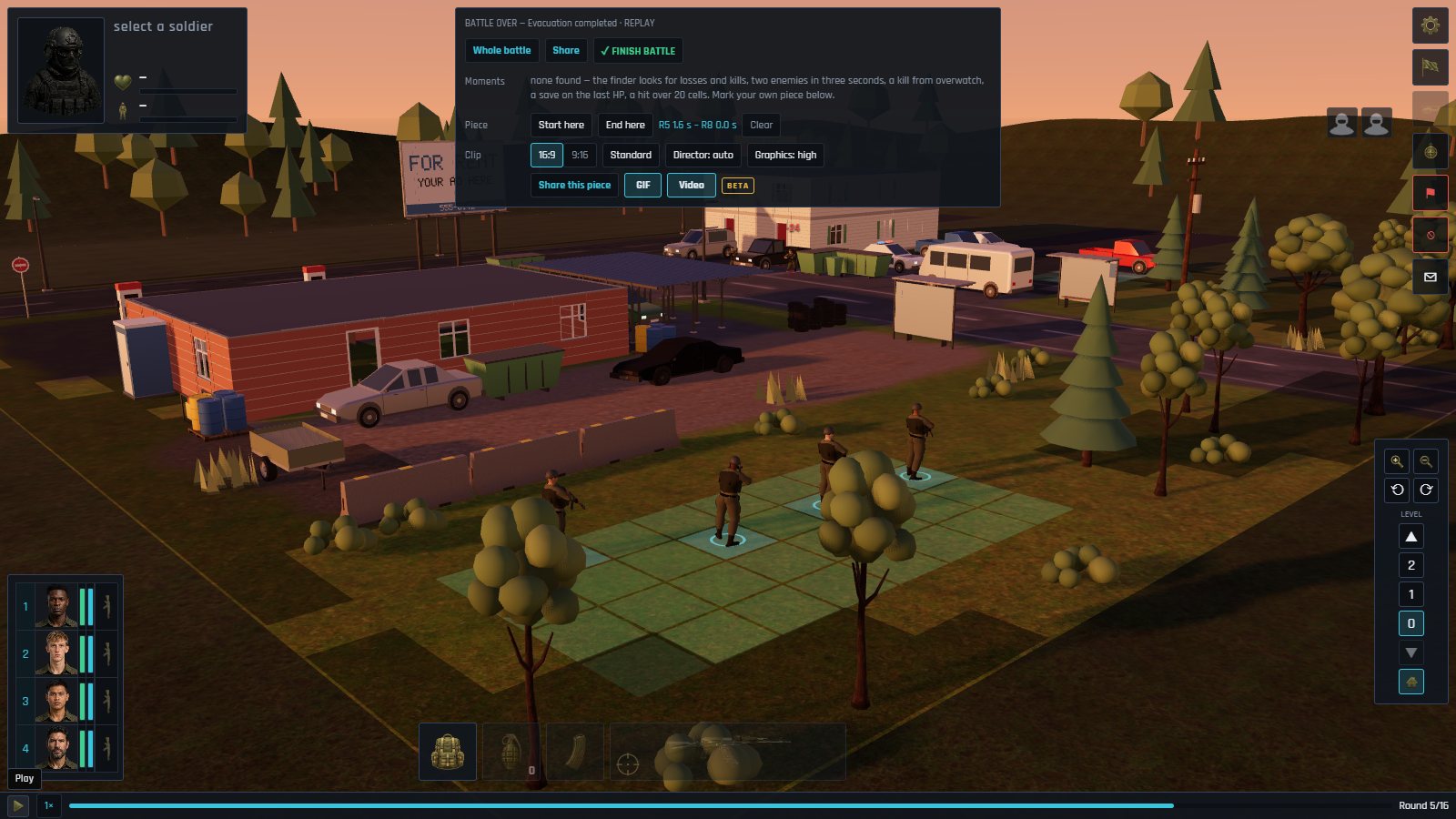
Any moment or piece can be saved as a clip, a GIF or an MP4 video. The clip is built right in the browser, frame by frame, so on a weak computer it comes out the same, it only takes longer. The settings are in the “Clip” row:
- shape: 16:9 for Reddit and YouTube, 9:16 for Shorts, Reels and TikTok;
- quality: draft, standard, high (1080p) or max (1080p at 60 frames a second);
- graphics: as in game, high or ultra. This setting applies to the clip only: it doesn’t touch the game’s settings and gives shadows even where the game has them off;
- director: “auto” keeps those who fired and those who were hit in frame, and shows a long shot as a cut, first the shooter, then the target. “Bullet” takes the camera behind the bullet until it lands, slowed down. “Off” leaves the camera where you put it;
- “My nickname on the clip”: your nickname on every frame and on the end card.
In a video the key instant is slowed down. Every frame carries the game’s name and the link to this moment, and a short end card follows. On a phone the finished file goes to the share sheet; on a computer it downloads.
A clip can also be made from someone else’s link: the viewer sees the battle’s moments and can save any of them. Such a clip carries the nickname of the replay’s author.
A soldier’s service file
You can share a soldier as well as a battle. The same “Share” button is on their card in the roster, and for a fallen or missing soldier in the memorial. The link opens without an account and shows the service file: characteristics, skills, service record, awards and the list of battles, read-only. The link is live: new battles, ranks and awards appear in it by themselves. Other commanders in the service history are not named, just as the opponent isn’t in a battle replay.
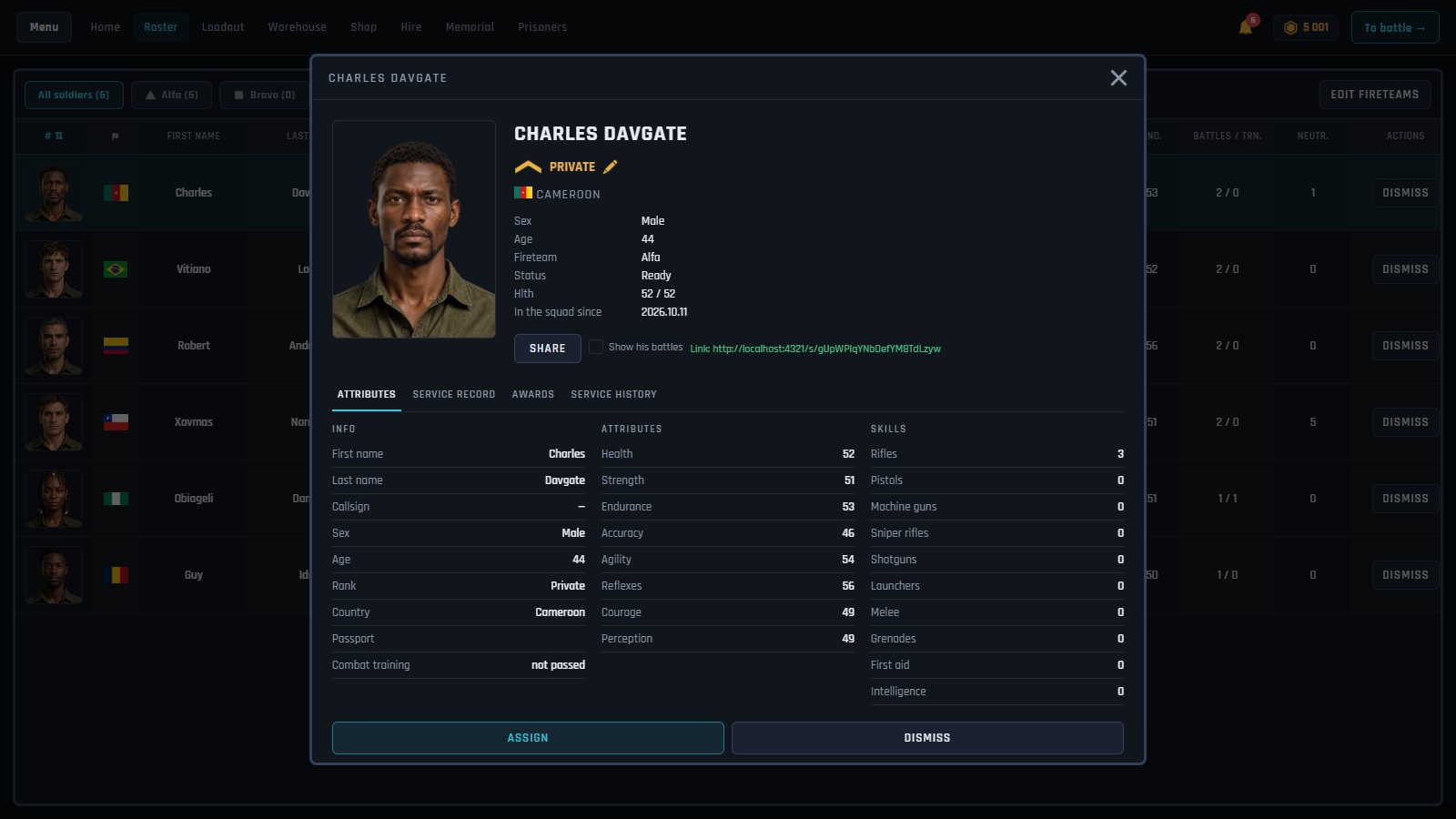
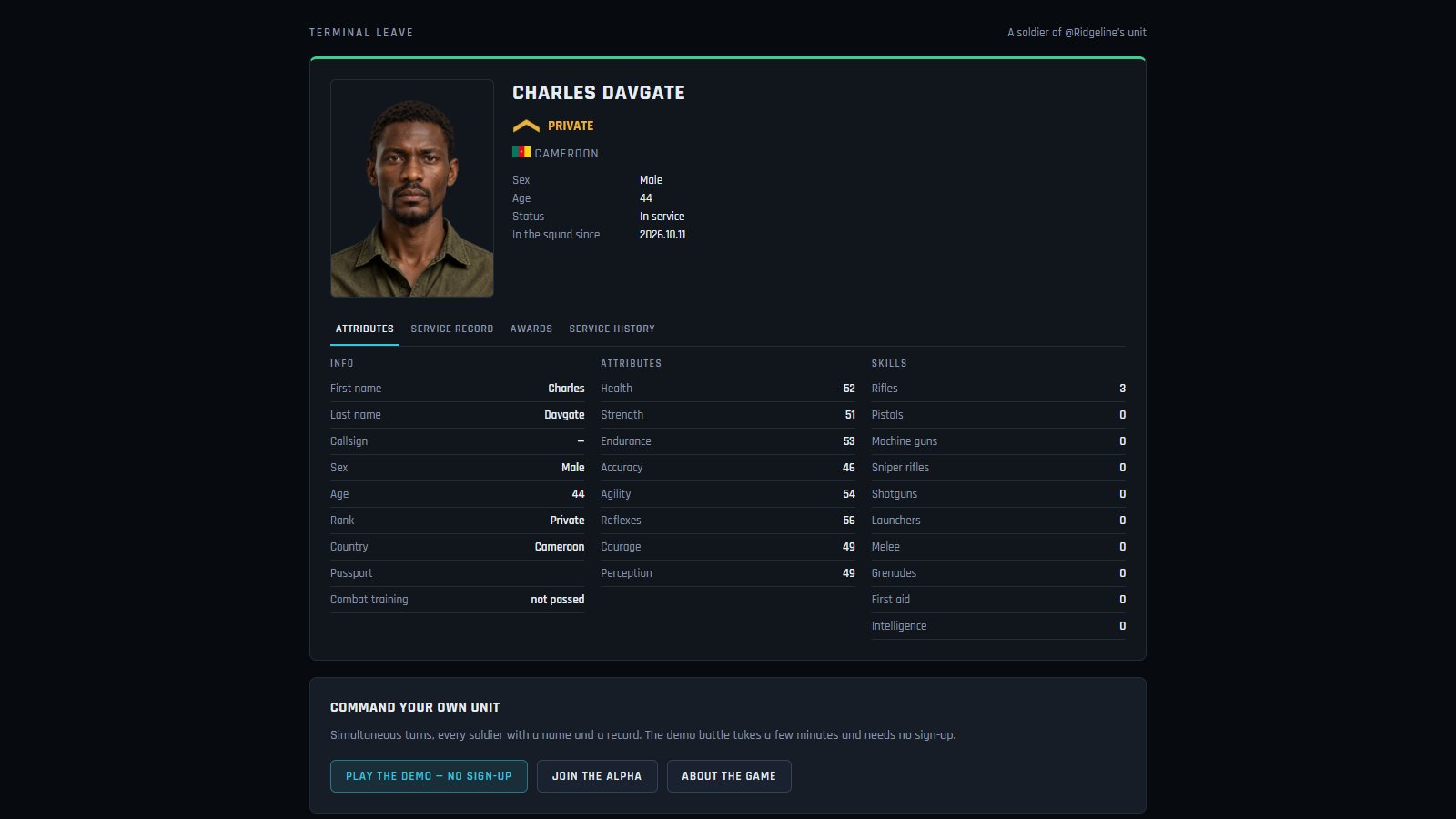
Each soldier has one link, and it lives as long as the soldier is yours. A fallen or missing soldier stays at the link, with the date; if the soldier moves to another commander, the link closes.
A soldier’s service file by link looks like this: the service file of Erik Suárez.
Next to the button there is a checkbox, “Show their battles”, off by default. With it the viewer can open any battle you fought with this soldier and watch it from their side: only they are picked, the camera stays over them or looks out of their helmet, first person, and the replay ends a moment after they are out. The fog of war in such a view is their own, not the whole squad’s: an enemy they never saw, the viewer won’t see either. Battles under other commanders aren’t shown. Unticking the box closes the battles at once; the link to the service file stays.
Your links
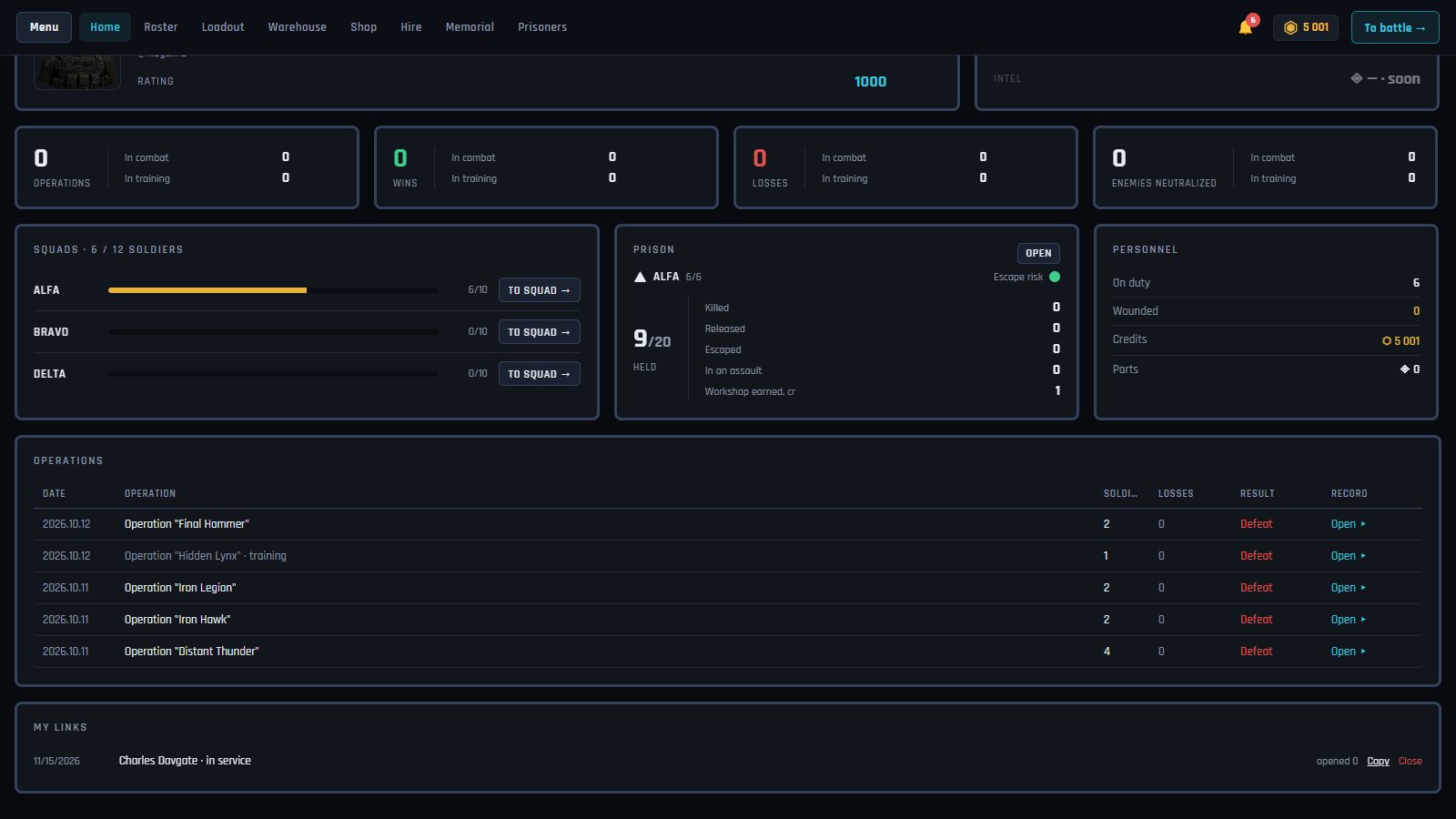
The cabinet’s home page has a new block, “My links”. It gathers every link you made, to battles and to soldiers, and shows how many times each was opened. Any of them can be copied again or closed, after which it stops opening. Links have no expiry.
What’s still rough
Clips run in test mode and are marked “BETA”. On weak devices, especially with high graphics, a clip may fail to build and the page may crash. If that happens, reload it and pick a lower quality or “Graphics: as in game”. The replay and the link are unaffected.
Everything was checked in Chrome. In Firefox and Safari the video may not record, but GIF works everywhere. In the phone app only the link can be shared for now. A link’s preview still shows the site’s general picture, not the battle’s map.
If you get a good moment, share it: I want to see what the game finds and what it misses.
The demo battle against a bot is open with no signup: /play/?screen=demo