Terminal Leave 0.4.0: captivity, the prison and Telegram login
Soldiers surrender and are taken prisoner, every base has a prison, the game opens in Telegram, and a shot takes one click.
The main subject of this update is captivity. A soldier can now surrender, and the enemy can tie him and take him to the prison of their base. Prisoners are interrogated, recruited, sent to work, released or returned for a ransom, and sometimes they escape by themselves. A missing soldier can be traced and brought back. Besides that, the game now opens in Telegram, and on a computer a shot is ordered with one click.
Captivity
Surrender in battle. The order to surrender is given with one button and can be taken back until the round starts. A soldier who surrenders drops his weapon and raises his hands. A soldier may also surrender without an order, out of fear, once his side has lost more than half of its soldiers and its losses are clearly heavier than the enemy’s. Courage, wounds, losses, unhealed PTSD and a commander who has left the battle all count.
An enemy standing next to a surrendered soldier can tie him or, by a direct order, shoot him. Such a killing is not counted as a kill and pays nothing, and overwatch does not fire at those who surrendered. If the surrendered soldier’s side wins the battle, he stays in service; if the enemy wins, he is taken prisoner. A soldier who surrendered by order can pick his weapon up again from his cell. One who surrendered out of fear, or is tied, cannot. In the demo battle nobody surrenders.
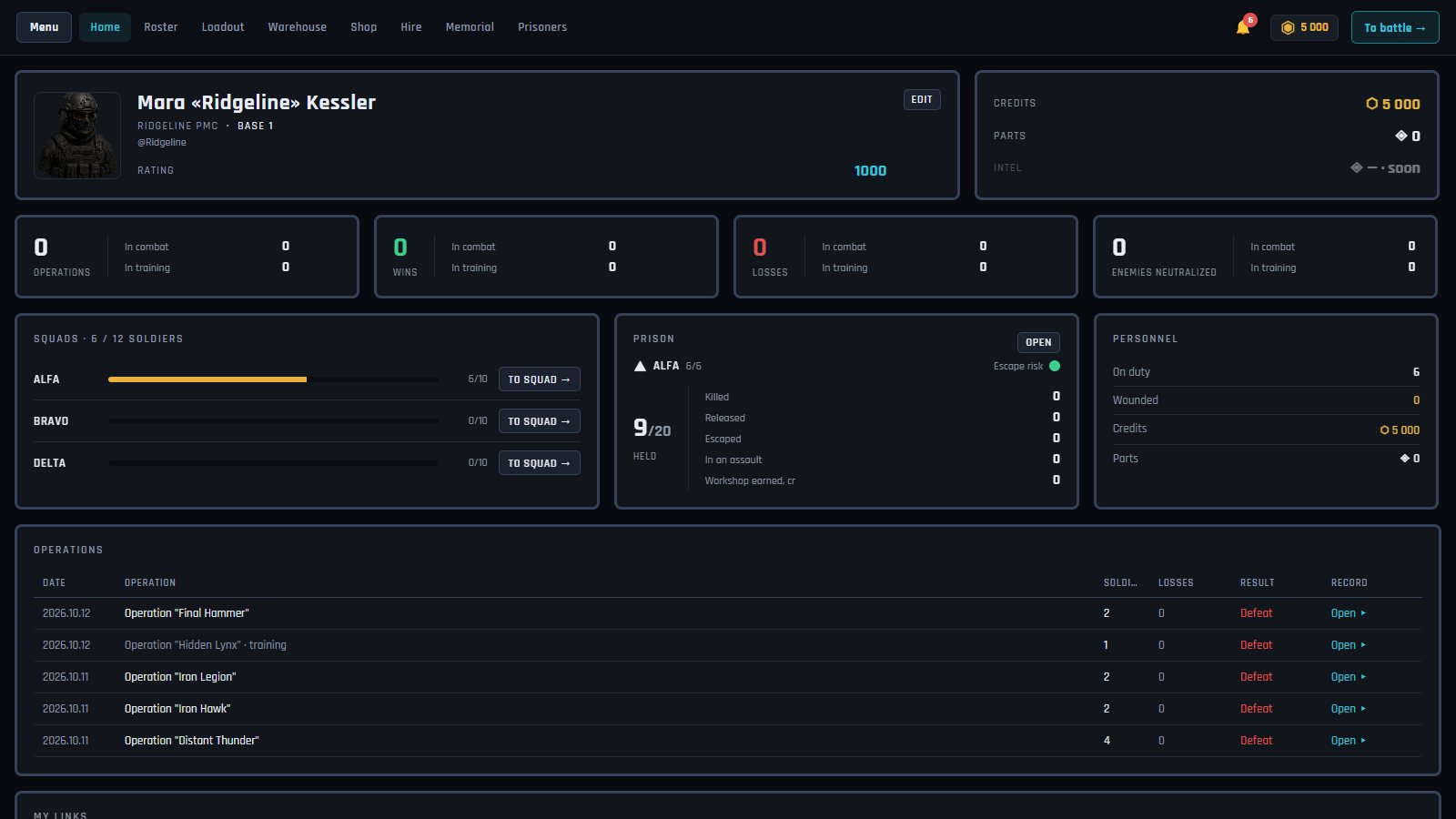
The prison. Every base has a prison of 20 cells. One fireteam guards it, with up to six soldiers on the posts. The fewer the guards, the higher the risk of an escape, shown on the home screen by a colored light. The prison is a 64 × 64 map of its own: four wings round an atrium, interrogation rooms, a mess, an exercise yard and a gatehouse with gates. Prisoners live by a daily routine and wear orange robes.
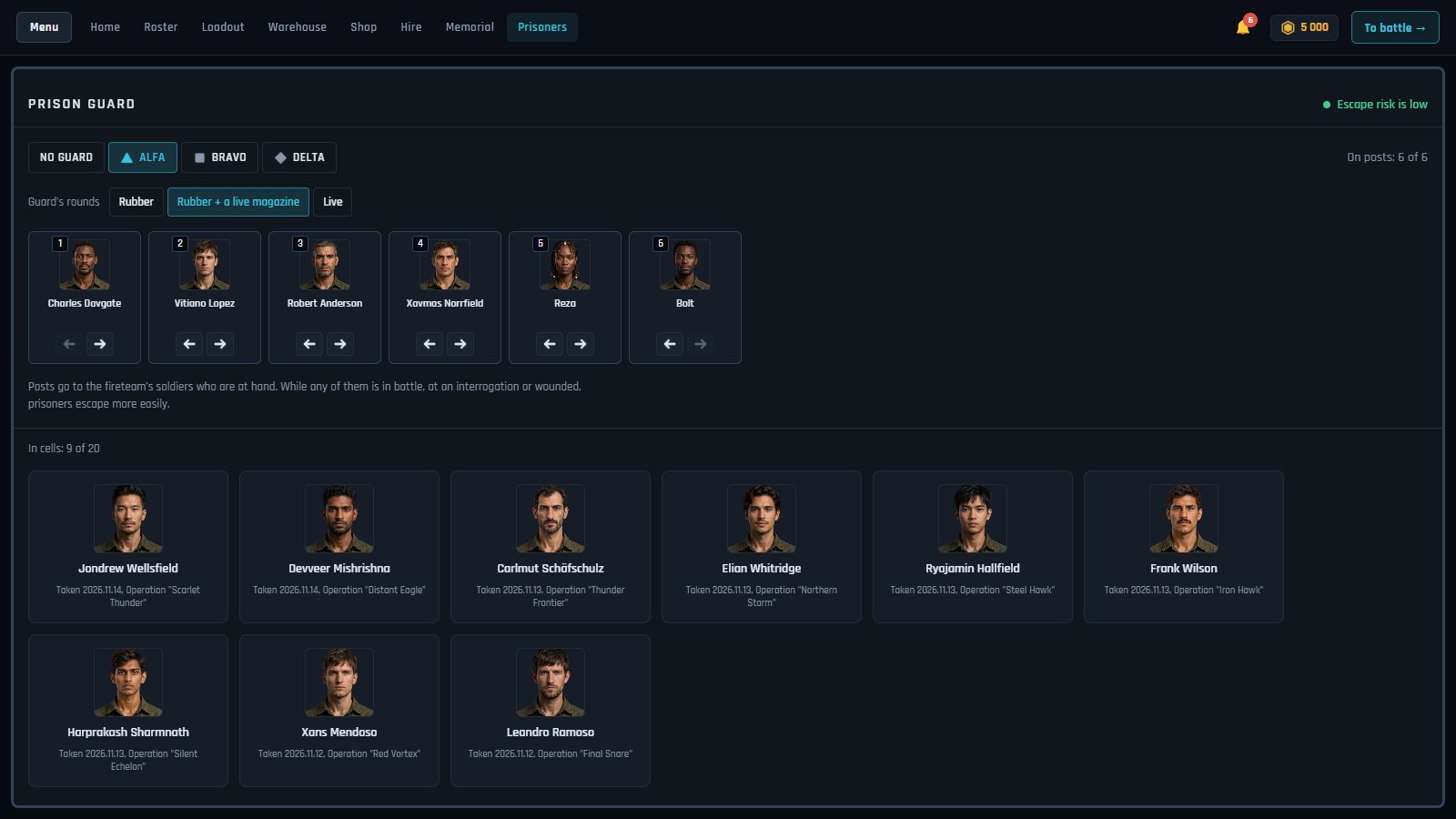
Work. Prisoners can be sent to work in the prison’s workshop. The workshop has two shifts, morning and afternoon, with ten places in each. Every prisoner at work brings the prison’s holder 2 credits an hour. A prisoner can be sent to both shifts, but in the second he brings half as much and is twice as likely to escape.
The punishment cell. A prisoner can be put in a punishment cell. There he is out of the routine and loses one point of courage a day, until it is down to half of what it was.
Interrogations. An interrogation is run by a free soldier of the base. It takes an hour or two and can be repeated after 6 hours. The outcome is decided by the interrogator’s courage, perception and the new skill “intelligence” against the prisoner’s courage. The surer the success, the more facts the prisoner gives — but any of them may be a lie. Once in a while a prisoner breaks and tells everything as it is.
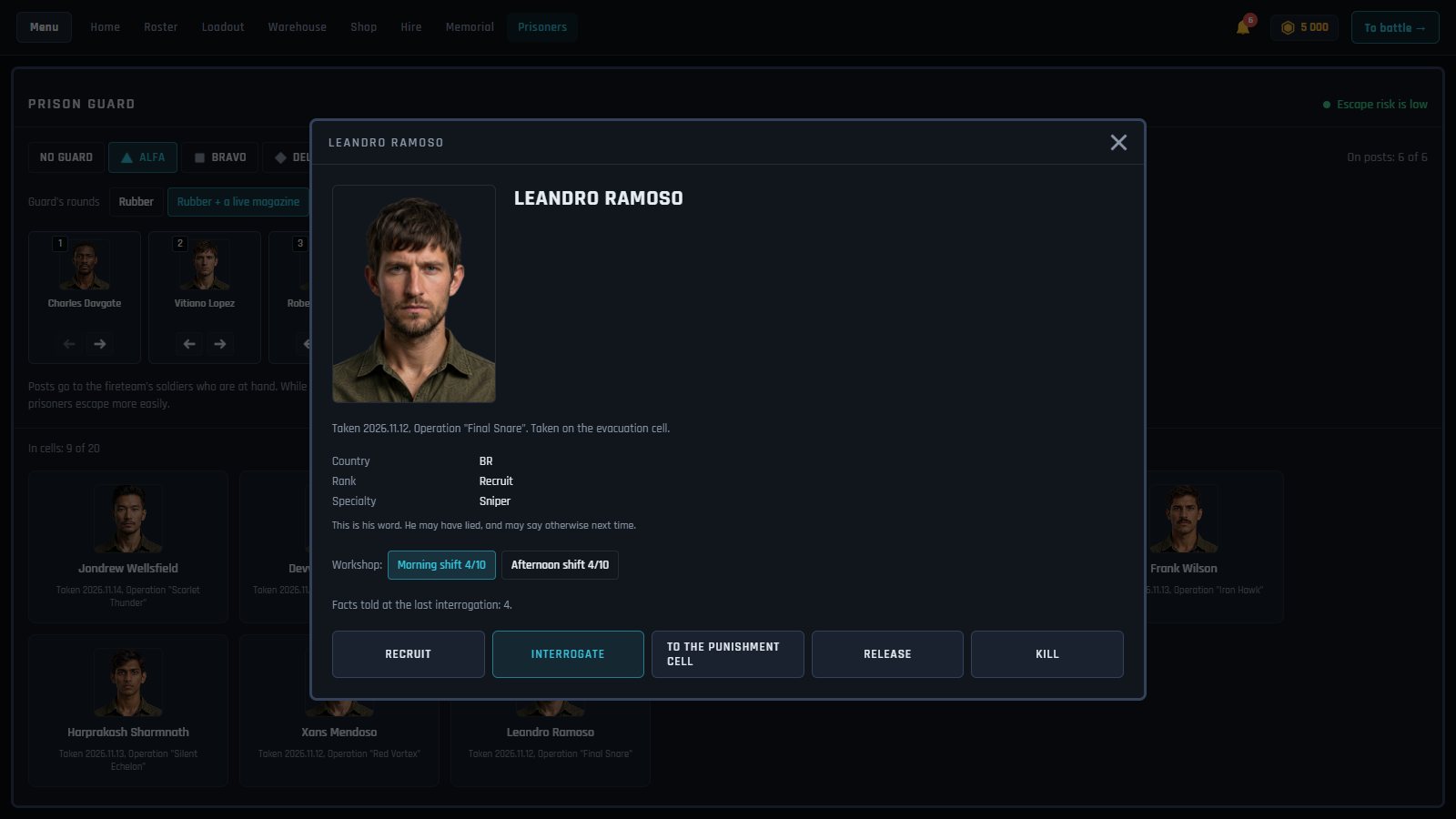
Recruiting. You can try to recruit a prisoner once a day, and the less courage he has, the better the chance. A recruited soldier joins your base, while his former commander still sees him as missing in action.
Escapes. A prisoner may break out by himself, unarmed and at half health. The escape is played as a battle on the prison map, and the prison’s holder can take the guard under control. If the runner reaches the way out, he goes home; if he is caught, he goes back to his cell.
Getting your soldier back. The card of a missing soldier in the memorial has a new button, “Investigate”. An investigation finds out who holds the soldier, or what became of him: he may have been finished off on the battlefield, vanished under someone else’s passport, or settled in a village. If he is held, there are three ways to bring him back:
- An escape. To organize an escape is to pay for a hidden pistol with one magazine to be passed to the prisoner, so he runs armed. Whether it gets to him depends on luck and on the organizer’s intelligence skill.
- An assault on the prison. You choose a fireteam, and the prison’s holder is warned a minute before it starts. The assault is closed for rework at the moment and is not yet available to players.
- A ransom. It can be offered once it is known who holds the soldier. A false name given by a prisoner at an interrogation leads nowhere.
One operation can be run against one prison every few days. If the battle could not be created, the money comes back.
The badly wounded. A badly wounded soldier left on a lost battlefield is no longer “finished off” at random. He either dies of his wounds at once or spends a day or two in a hospital, and the healthier he was, the better his chance to live. After the hospital he comes back to his commander, appears on the veteran market, vanishes, or goes home to his village. “Finished off” now means one thing only: the winner really did finish the soldier off after the battle. Also, the loser no longer has to wait while the winner collects the loot: the result, the soldiers and the pay come at once.
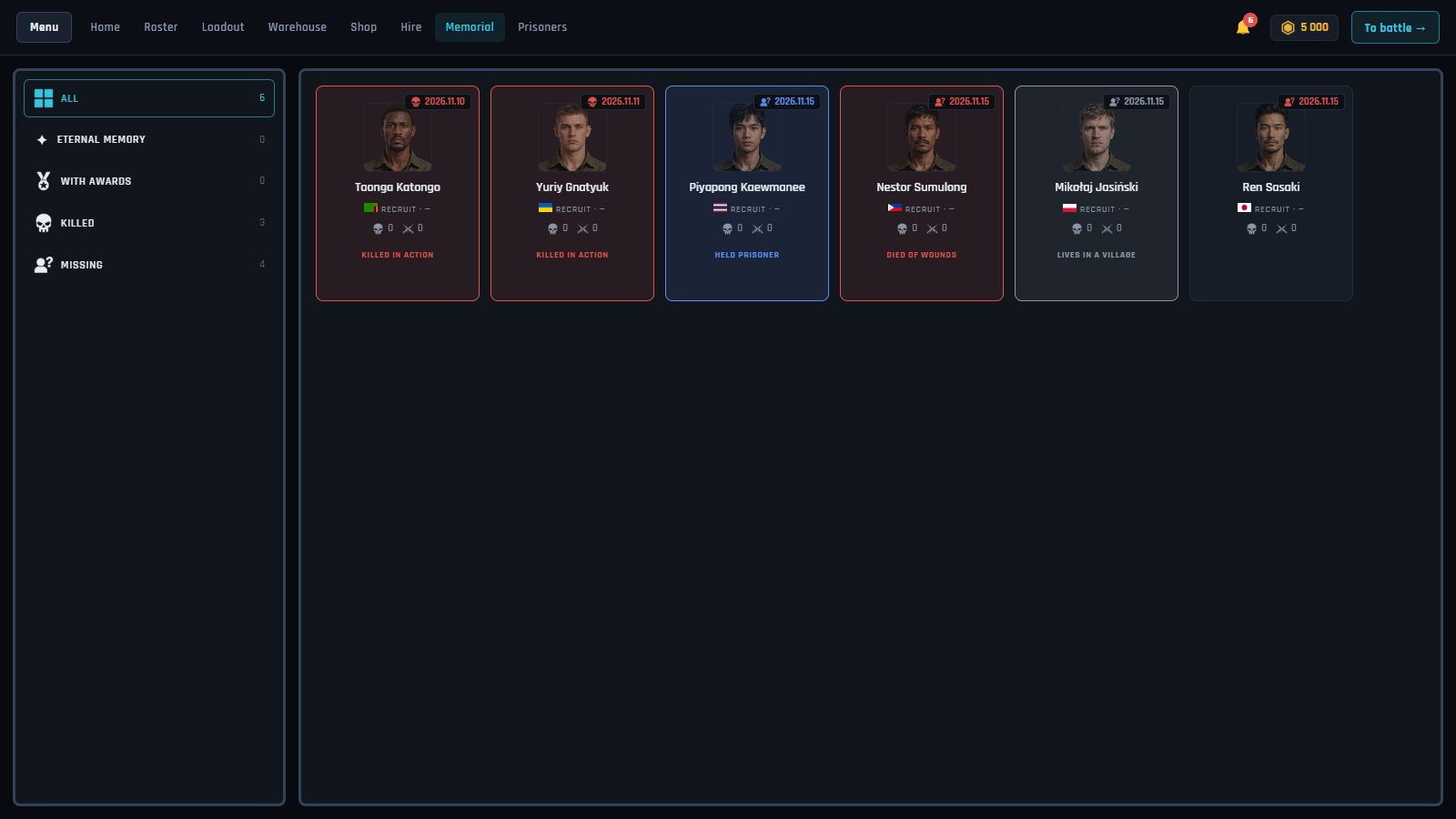
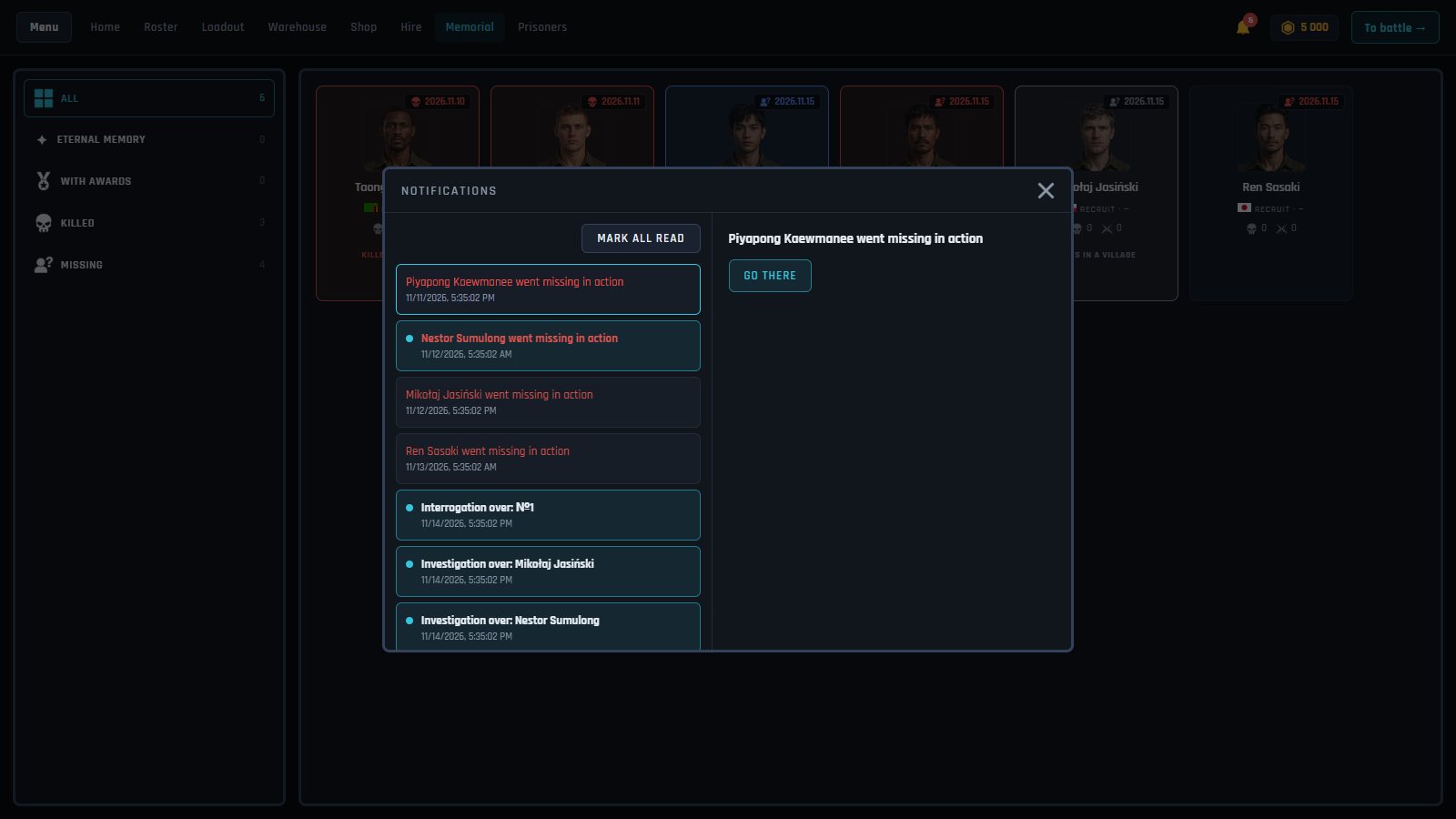
The memorial and notifications. The memorial now has two sections: the fallen and the missing in action. The color of a card’s frame shows what is known about the soldier: blue for captivity, red for death, gray for a life in a village. The service history records captivity and the return from it. A press on a notification opens the card of the soldier it is about. Unread notifications are marked, and there is a “Mark all read” button.
Telegram
- The app in Telegram. The game opens in Telegram as an app, and logging in needs no e-mail and no password. The first login asks for an access code. The demo battle is open without a code, and what you earn in the demo is kept.
- Login on the site. The site has “Log in with Telegram” and “Register with Telegram” buttons. The login goes through the game’s bot: press “Start”, then “Log in”, and the page signs in by itself. The account is the same one as in the Telegram app.
- Account reset. For an account made through Telegram, the reset code is sent by the bot.
Fire control
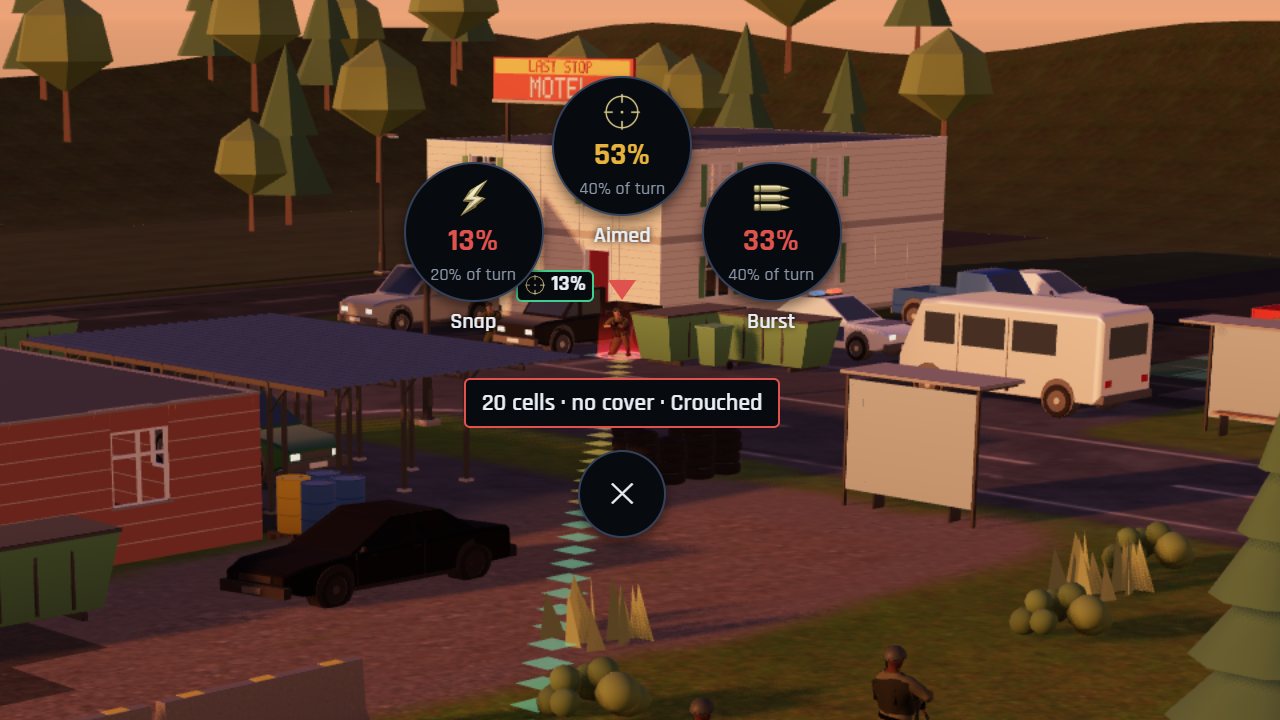
- Mouse. A left click on an enemy orders a shot at once in the chosen fire mode. A right click on an enemy opens the same circles of fire modes as on a phone, each with its chance to hit. If the shot is impossible, the left click opens the circles too and shows why.
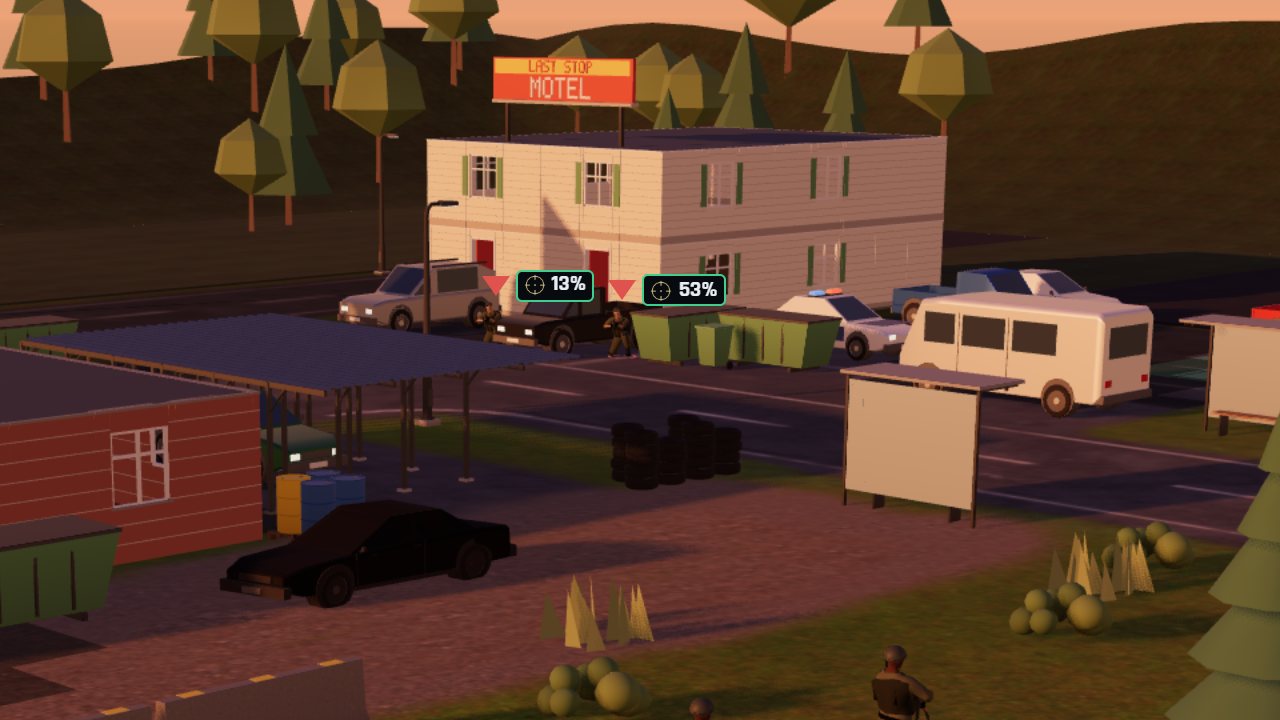
- A tag over the enemy. Every enemy in sight is marked with a red triangle. Next to it is a small tag for the selected soldier: the fire mode and the chance to hit. A green frame means the shot can be taken, amber that the target is beyond the weapon’s range, red that the shot cannot be taken.
- A shot at an enemy behind a wall. Such a shot can now be ordered: the tag shows a 0% chance, and the bullet goes into the wall.
- Overwatch. It is now a plain switch: the sector of fire points where the soldier faces.
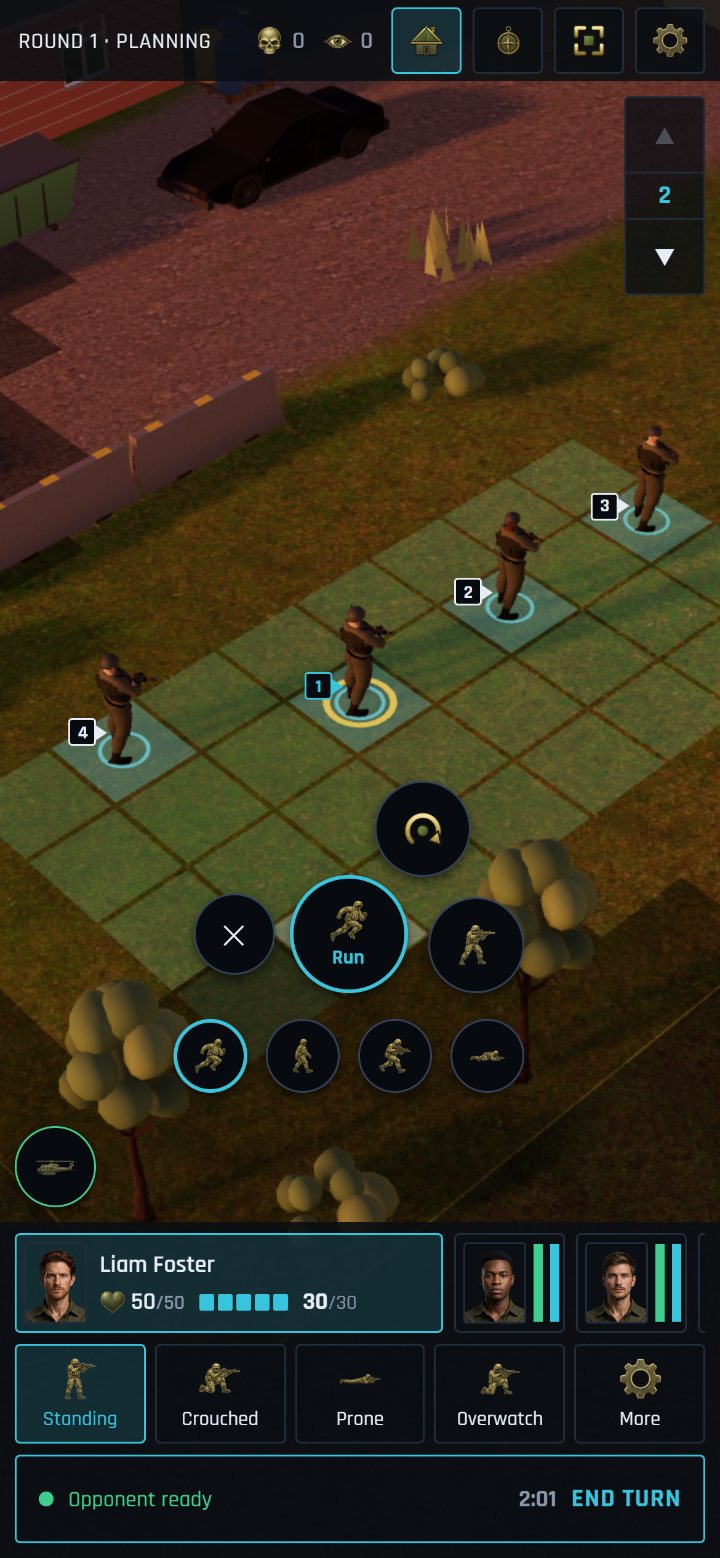
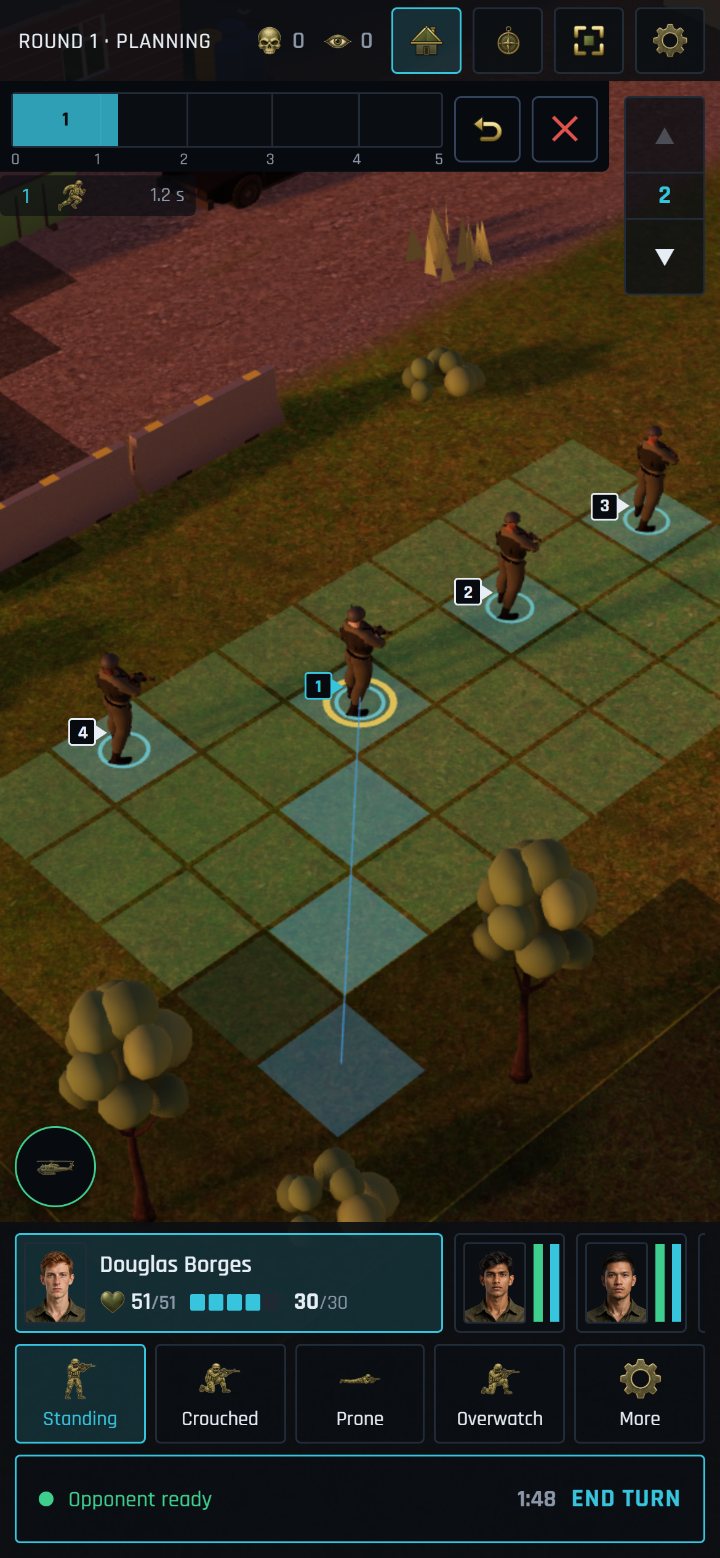
- Phone. The big circle on a cell is labelled with the move mode: “Run”, “Walk”, “Crouch-walk” or “Crawl”. The other modes sit beside it in small circles. The cell’s circle now has “fire at the cell”. The three postures have buttons of their own. The plan has become a narrow strip under the top bar and no longer covers the field. The enemy under aim is marked by a ring at his feet and a column of light.
Connection and other changes
- A dropped connection. A battle survives a dropped connection: the client reconnects by itself, and reloading the page returns you to the same battle. A disconnected player is waited for 60 seconds instead of 30 before a bot takes the squad out. If the battle ended while you were offline, the result comes when you are back.
- Planning. A round’s planning lasts 180 seconds instead of 120.
- An address for Russia. The game also opens at terminalleavegame.ru, which works without Cloudflare.
- Skin tone. The soldiers’ 3D models now have a skin tone, one of five, taken from the portrait.
Fixes
- Fixed a bug where the bodies of soldiers killed later in a battle lay on the ground from the first frame of the replay.
- Fixed a bug where a magazine of rubber rounds stopped being rubber when it was given to a soldier or put back in the warehouse.
- Fixed a bug where a shot could not be ordered after a reload earlier in the plan: the game said “magazine empty”.
- Fixed a bug where the results screen offered “Eternal memory” for a living soldier.
- Fixed a bug where an organized escape did not start.
- Fixed a bug where leaving by the way out in a prison battle counted as a defeat. Now a runner who gets away wins the escape.
- Fixed a bug where the login through the bot on the site did not work at the first press.
All numbers in this article — prices, durations, chances and sizes — are as of the time of writing and may change as the game is balanced.